ukemusic

Chord sheets for ukulele, from the words you type

Write the song with the chords in square brackets. ukemusic draws the chord sheet, the shapes and the strum, plays it along with you, and prints a clear copy for the gig.

Download for free Try the web player Windows, Mac and Linux · works offline · open source
ukemusic: the song typed on the left, the finished chord sheet with chord shapes and the strum pattern on the right

How it works

Type it once. ukemusic does the rest.

A song is a plain text file you can read and change anywhere. Put each chord in square brackets just before the word where it changes. Everything else follows from that: the sheet, the shapes, the playback and the printing.

What you type
{D-DU-UDU}
[[Verse 1]]
I [C]come from Alabama
with my [G7]banjo on my [C]knee

[[Chorus]]
Oh! Su[F]sanna,
oh [C]don't you cry for [G7]me
What you get
C
G7
F
Verse 1  C
I come from Alabama
        G7          C
with my banjo on my knee
Chorus      F
Oh! Susanna,
   C                 G7
oh don't you cry for me
[C]word the chord changes on that word
{D-DU-UDU} the strum: down, up, and a gap
[[Chorus]] a part of the song, by name

What it does

From the first strum to the gig

Everything a ukulele player needs around a song, in one place.

Play it, and play along

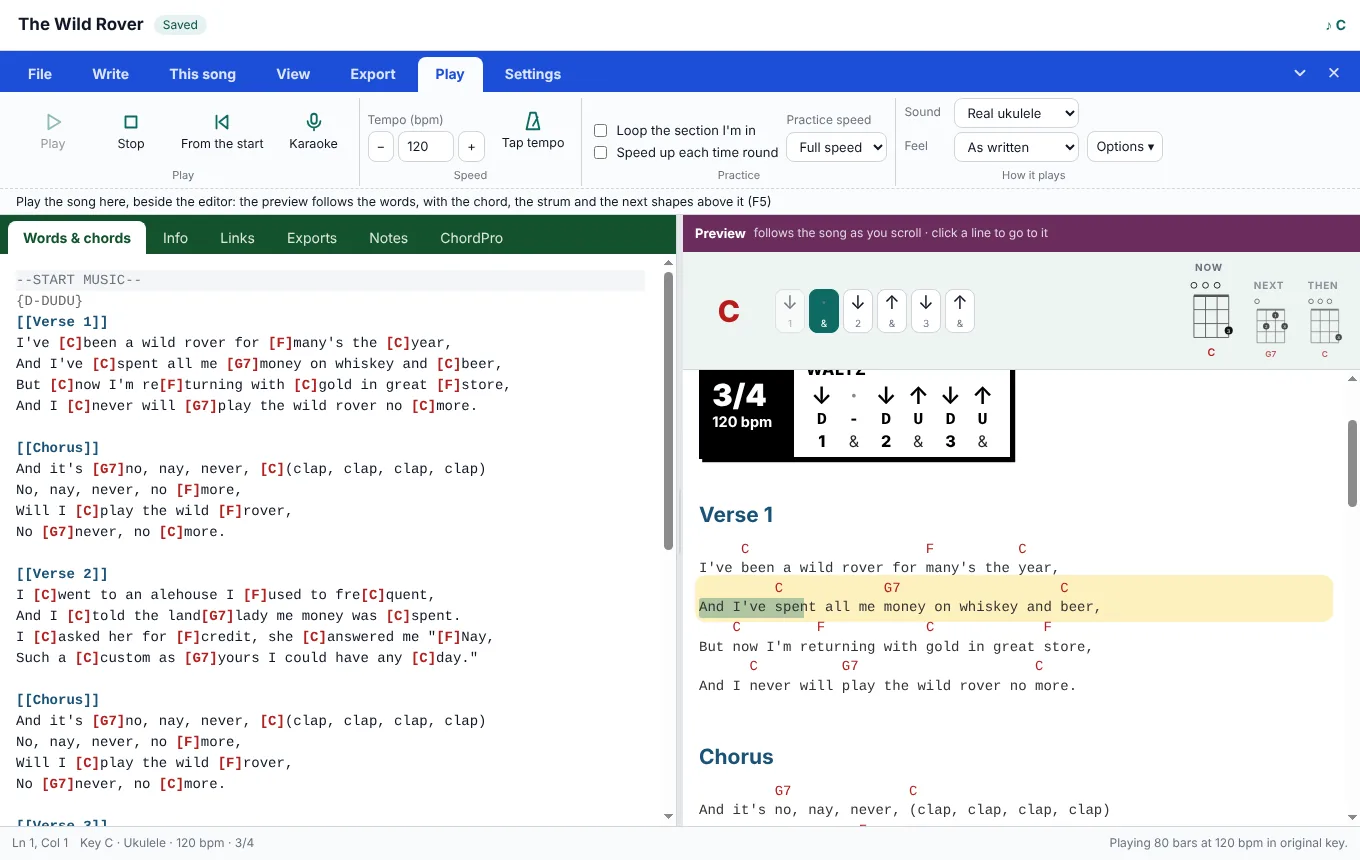
Press Play and hear the song on a real ukulele, strummed the way you wrote it. The sheet follows the words, with the chord now, the next shapes and the strum lit up above.

  • Slow it down, loop the part you're learning, or speed up a little each time round
  • Waltzes, swing and shuffle feel, picked out from the strum
  • Tap the tempo, or count yourself in
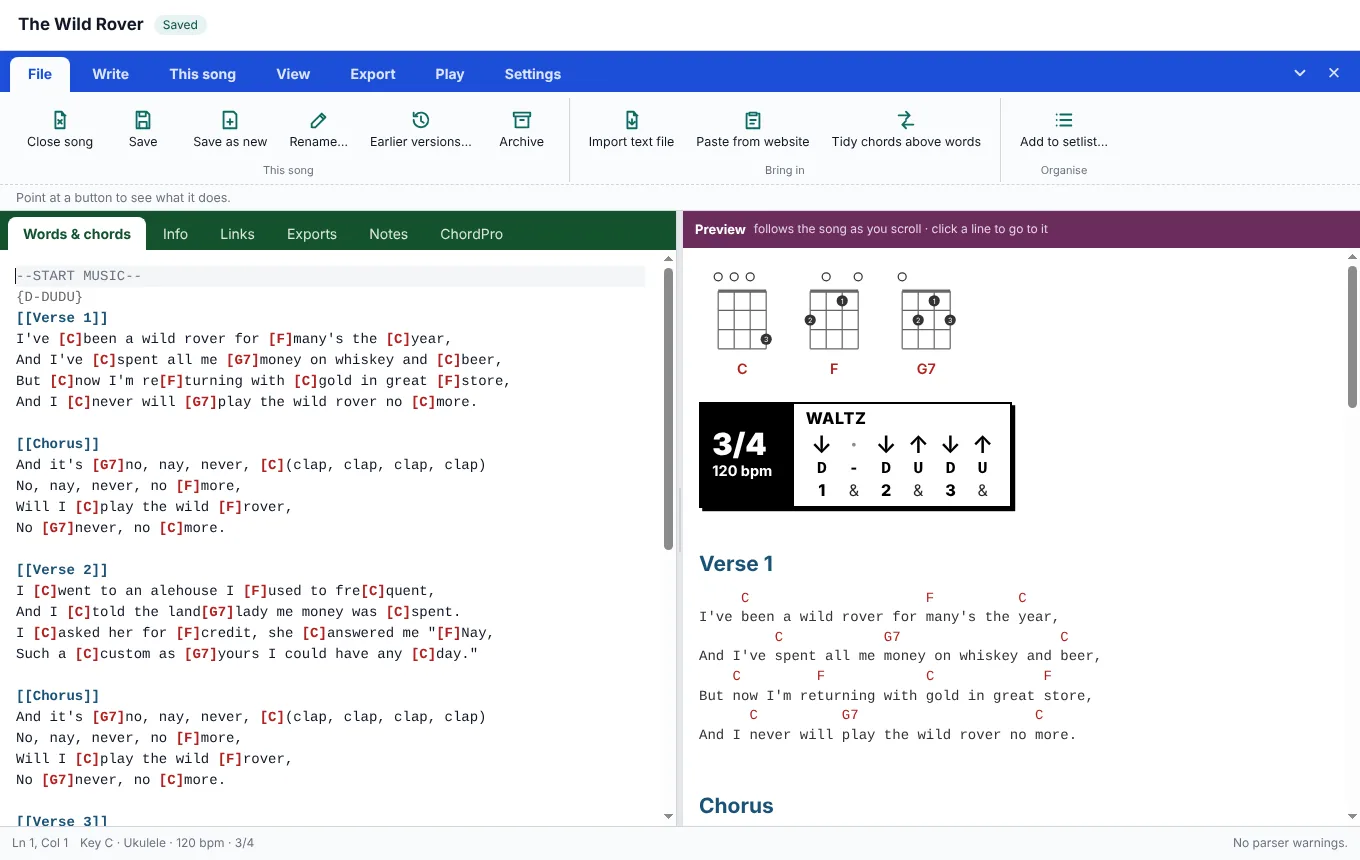
The Wild Rover playing: the current line highlighted, the chord C and its strum lit, with the next chord shapes

Karaoke for the whole room

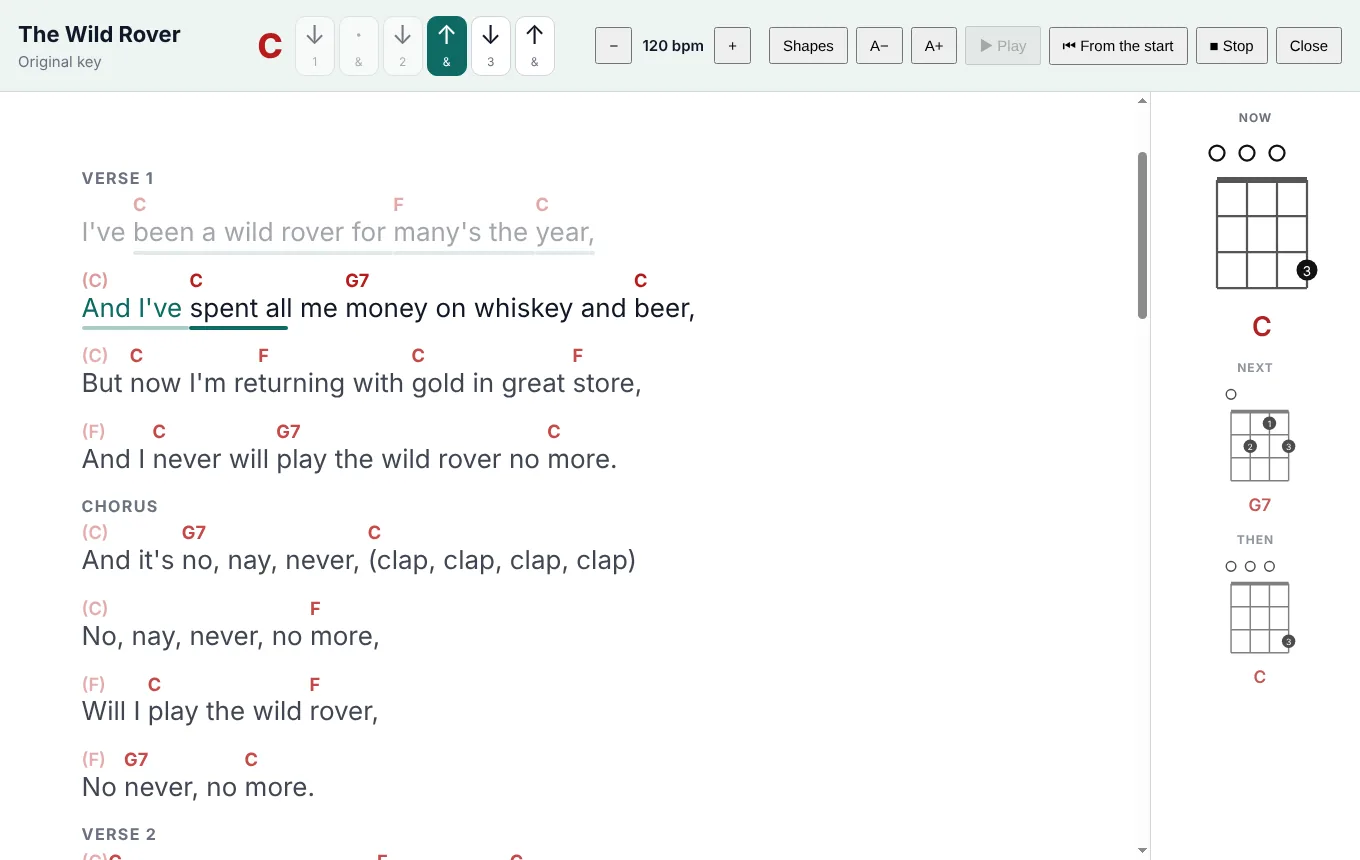
Full screen, big words that light up as you sing, with the chord above each word and the shapes down the side. Tap any line to start from there.

Karaoke view: large words with chords above, the line being sung lit, and chord shapes for now, next and then

Stage copies you can read at a glance

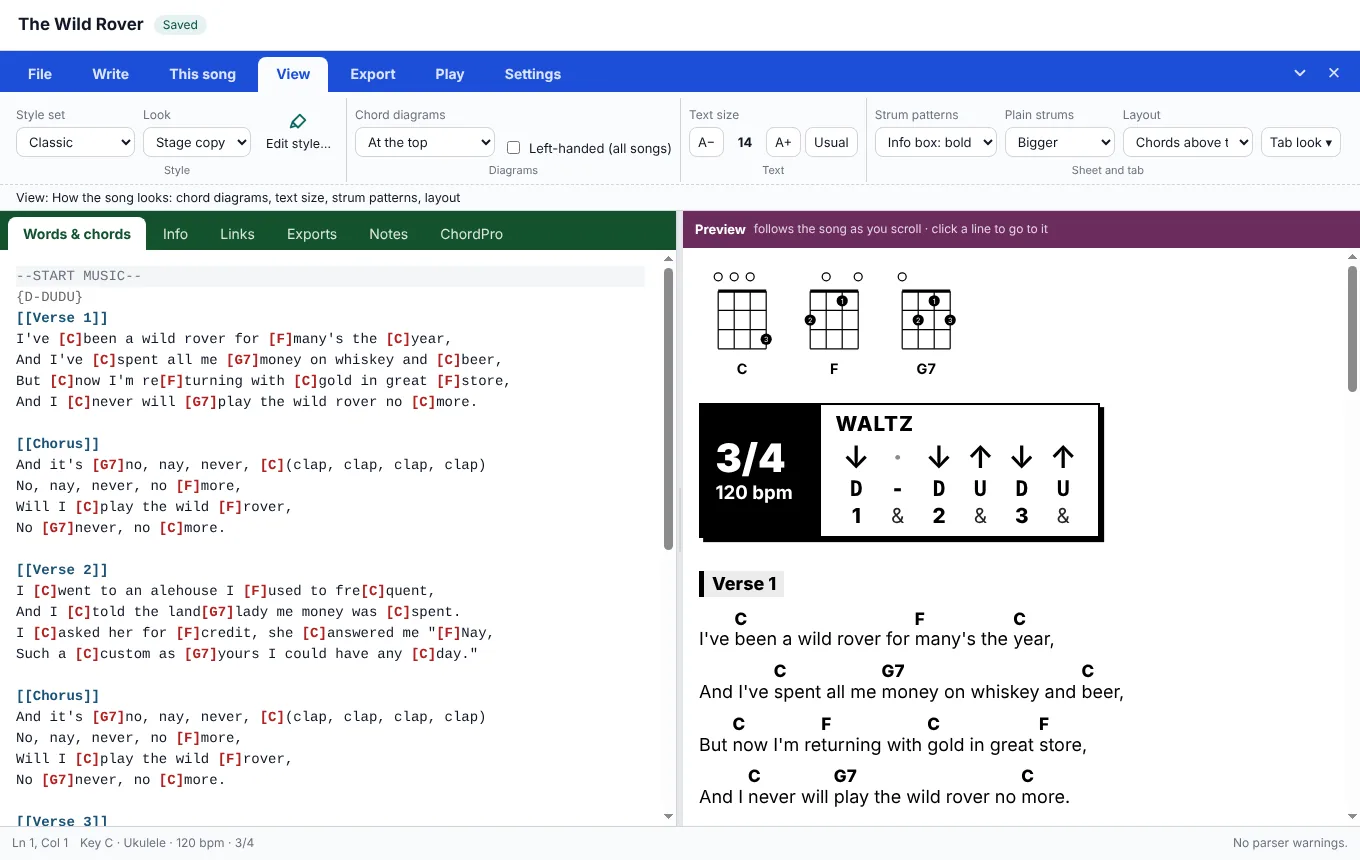
Print the song sheet for practice and a Stage copy for the gig: big, bold and easy to scan, in the format that suits you.

  • Clear, Brackets, Compact or Heavy
  • Choruses printed every time, or once and then "as before"
  • PDF, web page, words only, Markdown or ChordPro; a songbook from a setlist
The Stage copy of a song: bold chords above plain words, with clear section names

Free Practice, no song needed

Warm-ups, chord changes, strumming, fingerpicking, scales and noodling, each with a moving fretboard and a metronome, plus your progress and daily routines.

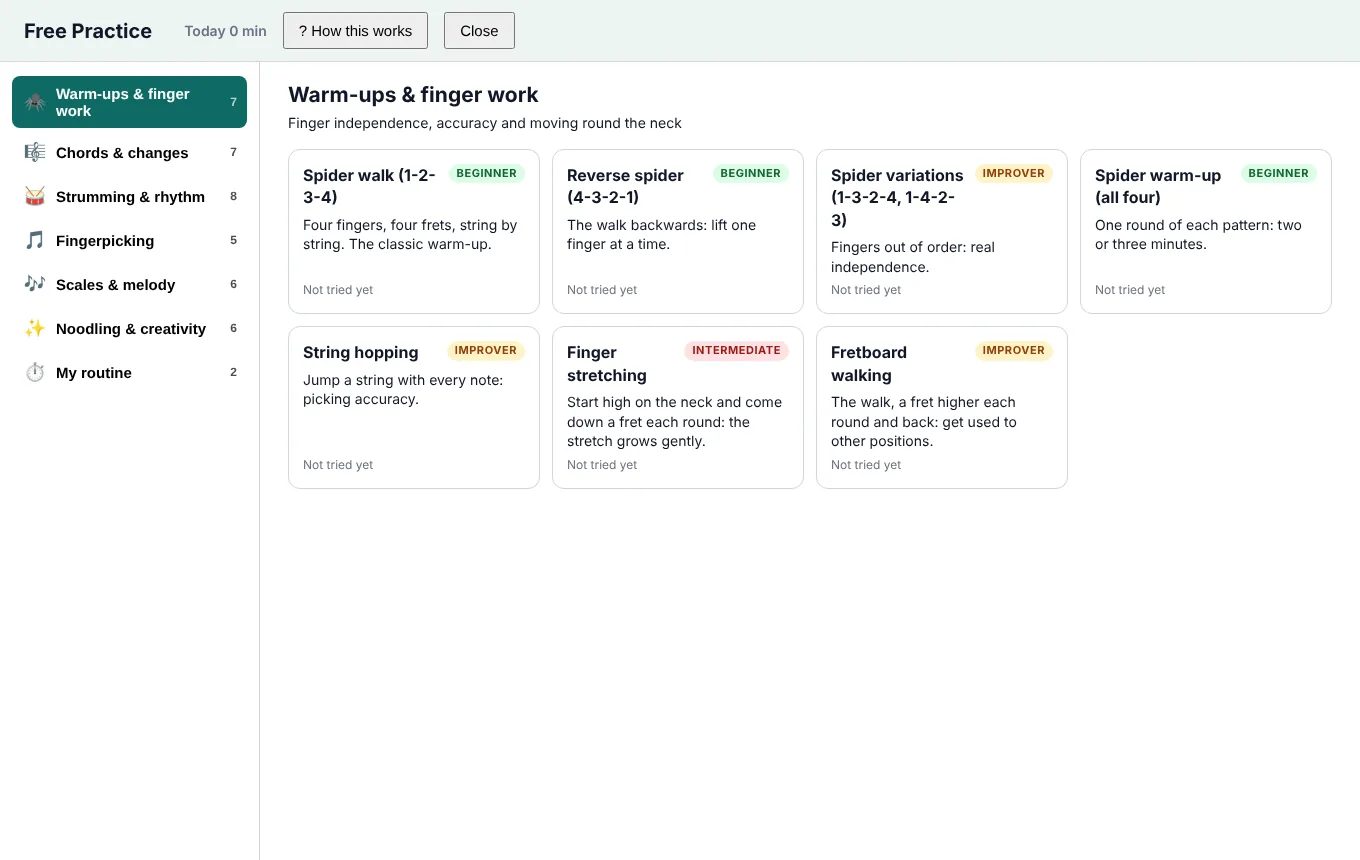
Free Practice: categories of exercises down the side, with exercise cards marked beginner, improver or intermediate

Your songs, in libraries

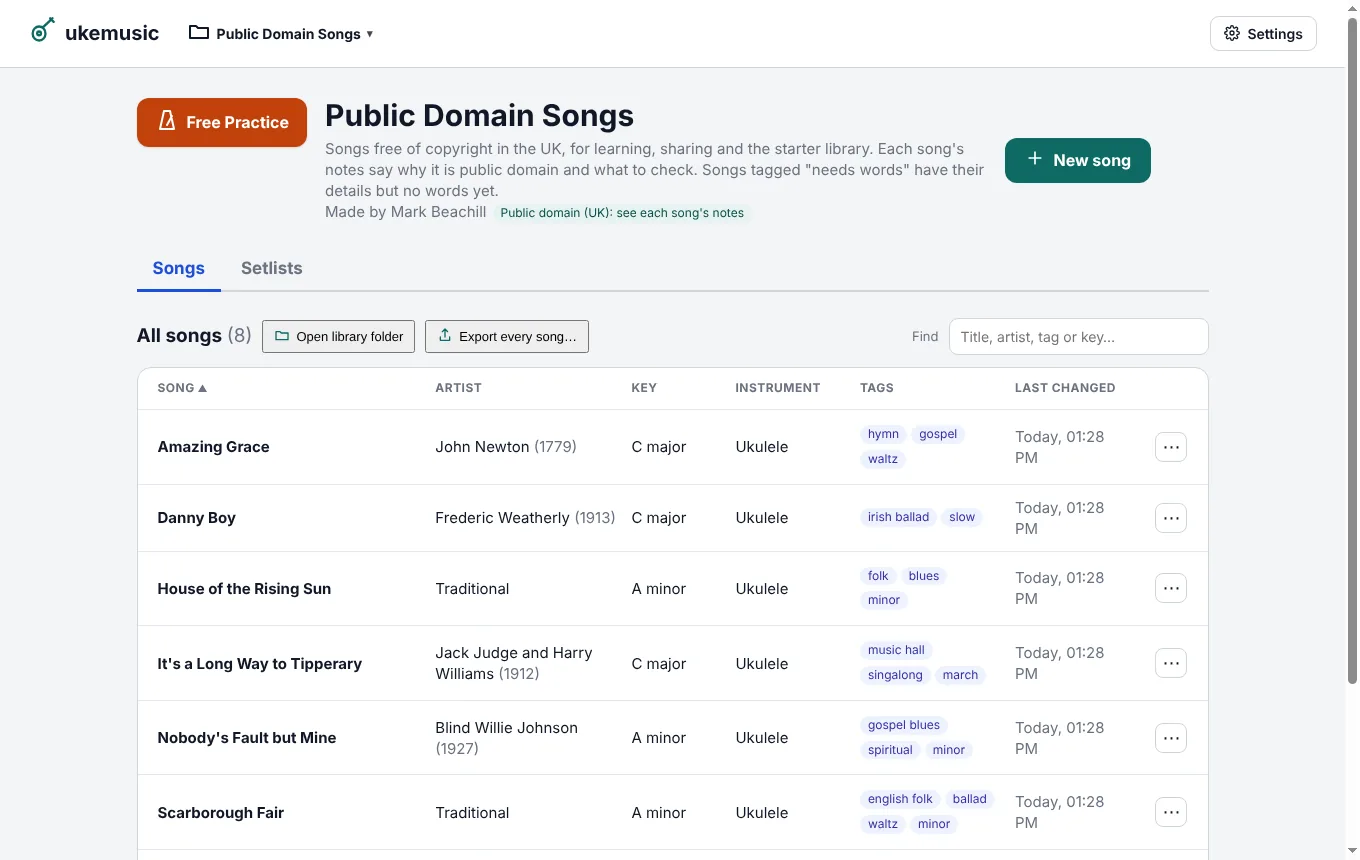
Songs live in ordinary folders on your computer. Keep several libraries, search by artist, tag or key, put songs into setlists, and share a library as a single pack file.

ukemusic comes with a library of public-domain songs to start you off.

The Public Domain Songs library: a list of songs with artist, key, instrument and tags

A player for your phone and tablet

The web player runs in any browser, with nothing to install: open a song, change the key, capo or instrument, play along, sing with karaoke and practise. It comes with the public-domain songs, so you can try it straight away. On iPhone and iPad, add it to your Home Screen.

Try the web player

It plays songs rather than writing them. Write and edit in the desktop app, then take your songs with you: its Songs for the web… saves them in one file, and Update songs in the player loads it.

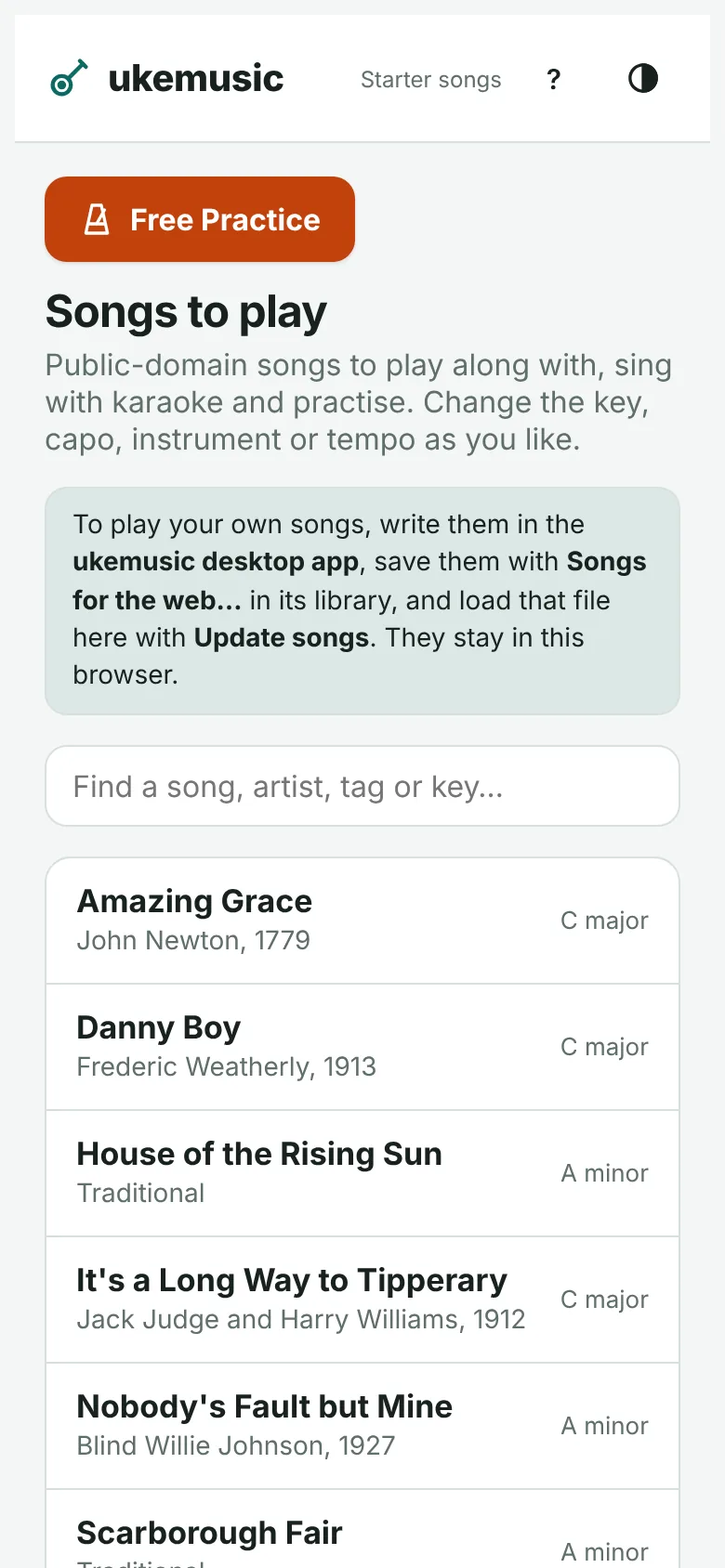
The web player on a phone: the list of songs
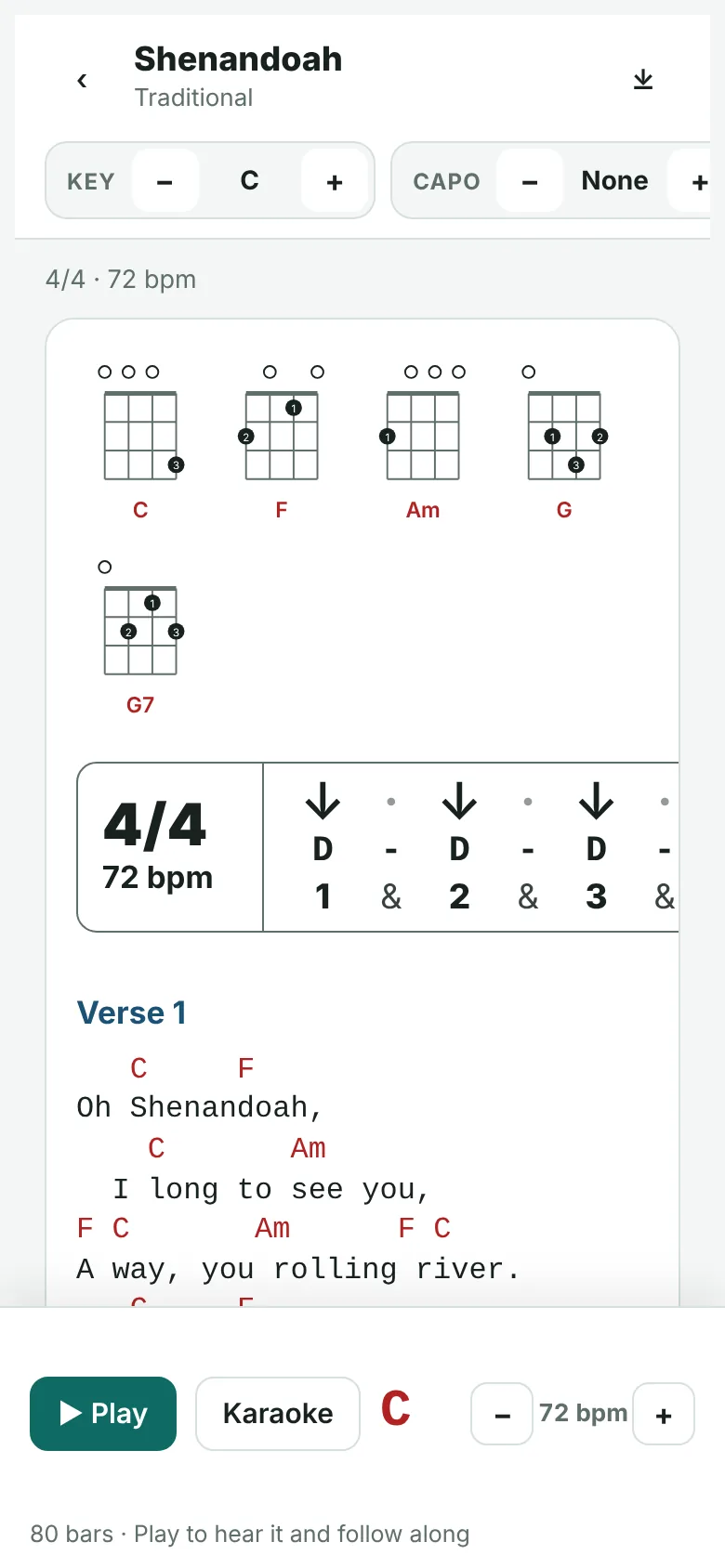
The web player on a phone: Shenandoah with chord shapes and chords above the words

And plenty more

Any key, any capo

Move a song up or down in a click, keep it in several keys, or play it with a capo and see the shapes to finger.

Ukulele, baritone or guitar

Ukulele with high or low G, baritone ukulele and guitar, each with its own chord shapes. Left-handed diagrams too.

Paste from a website

Copy a chord sheet with the chords on their own lines, and ukemusic tidies it into the song format.

ChordPro in and out

Open ChordPro files from other apps and save them back, keeping every field they had.

Tab and melody

Write tab beside the words; it plays, moves with the key and prints neatly.

Chord patterns

See each part's chords with its words, the progressions they use, and which parts share them.

Choose your shapes

Click a chord diagram to pick another way to play it, kept with the song.

Nothing lost

Every save keeps the earlier versions, and songs are plain text files you own.

Made to be read

A guide to writing songs is built in, and a hint line explains whatever you point at.

Download

Free for Windows, Mac and Linux

The latest version is on the releases page.

Windows

Windows 10 or 11, 64-bit. Run the installer; if Windows SmartScreen says it doesn't recognise the app, choose More info → Run anyway.

Mac

macOS 12 or later. Open the .dmg and drag ukemusic to Applications. The first time, right-click it and choose Open, because it isn't from the App Store.

Linux

Most 64-bit distributions. Download the AppImage, make it executable (right-click → Properties → Allow executing, or chmod +x) and run it.

Just want to play? The web player runs in any browser, including on iPhone, iPad and Android, with the public-domain songs ready to go. Writing and editing songs needs the desktop app.

Try the web player
Build it yourself from the source

You'll need Node.js 20 or later.

git clone https://github.com/OWNER/ukemusic.git
cd ukemusic
npm install
npm start            # run ukemusic
npm test             # run the tests
npm run package      # make an installer for this computer, in dist/

Open source

Free to use, free to change

ukemusic is open source under the MIT licence. The code, the guide to writing songs and the public-domain song library are all on GitHub; suggestions and fixes are welcome there.

The code

ukemusic on GitHub: issues, changes and every release.

How to write songs

The guide to everything you can type, with examples. It's in the app too.

No copyrighted songs

ukemusic only ships songs that are out of copyright. The songs you write or add stay on your computer.